

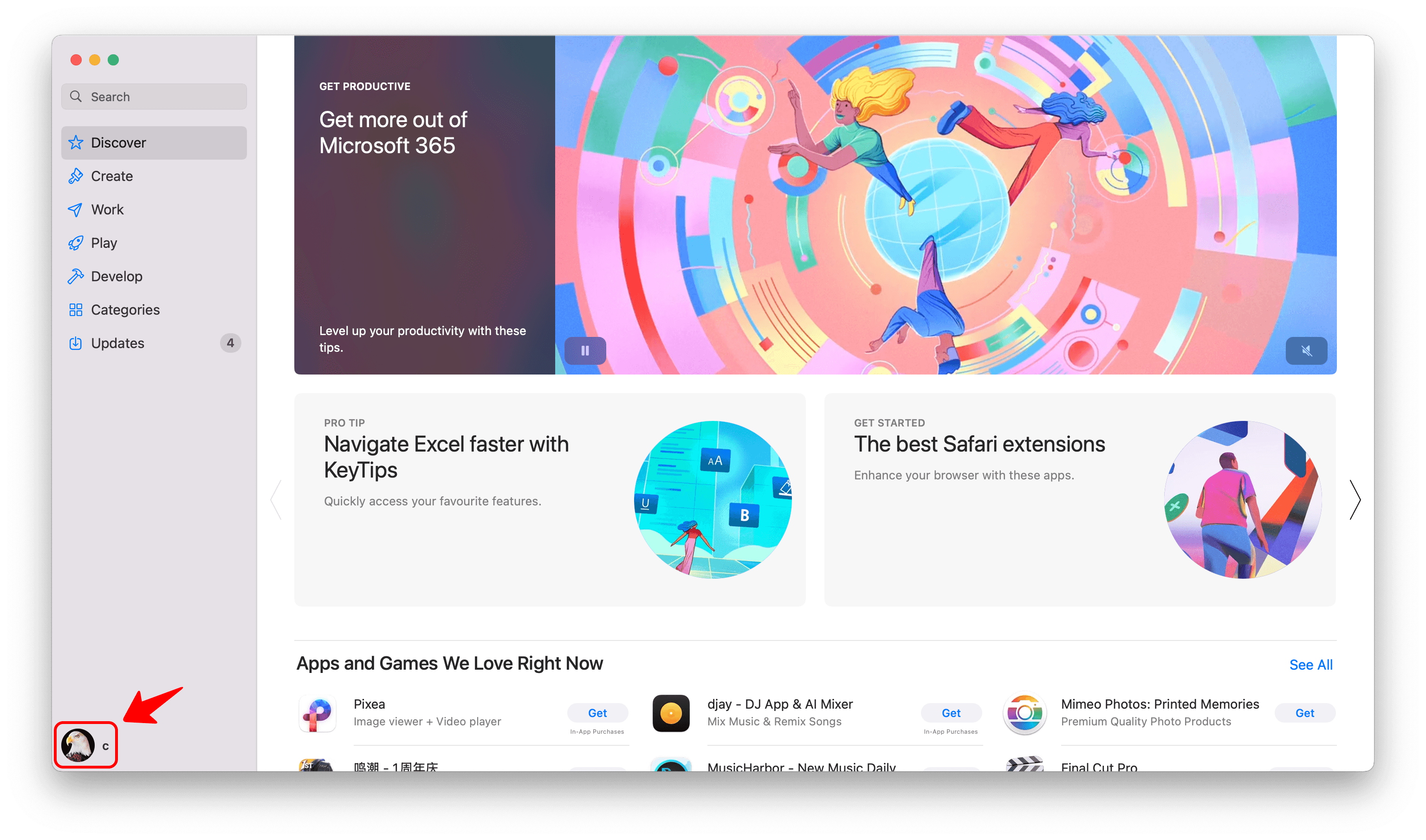
1️⃣ Open the App Store app on your Mac
2️⃣ Click your profile photo at the bottom of the screen.
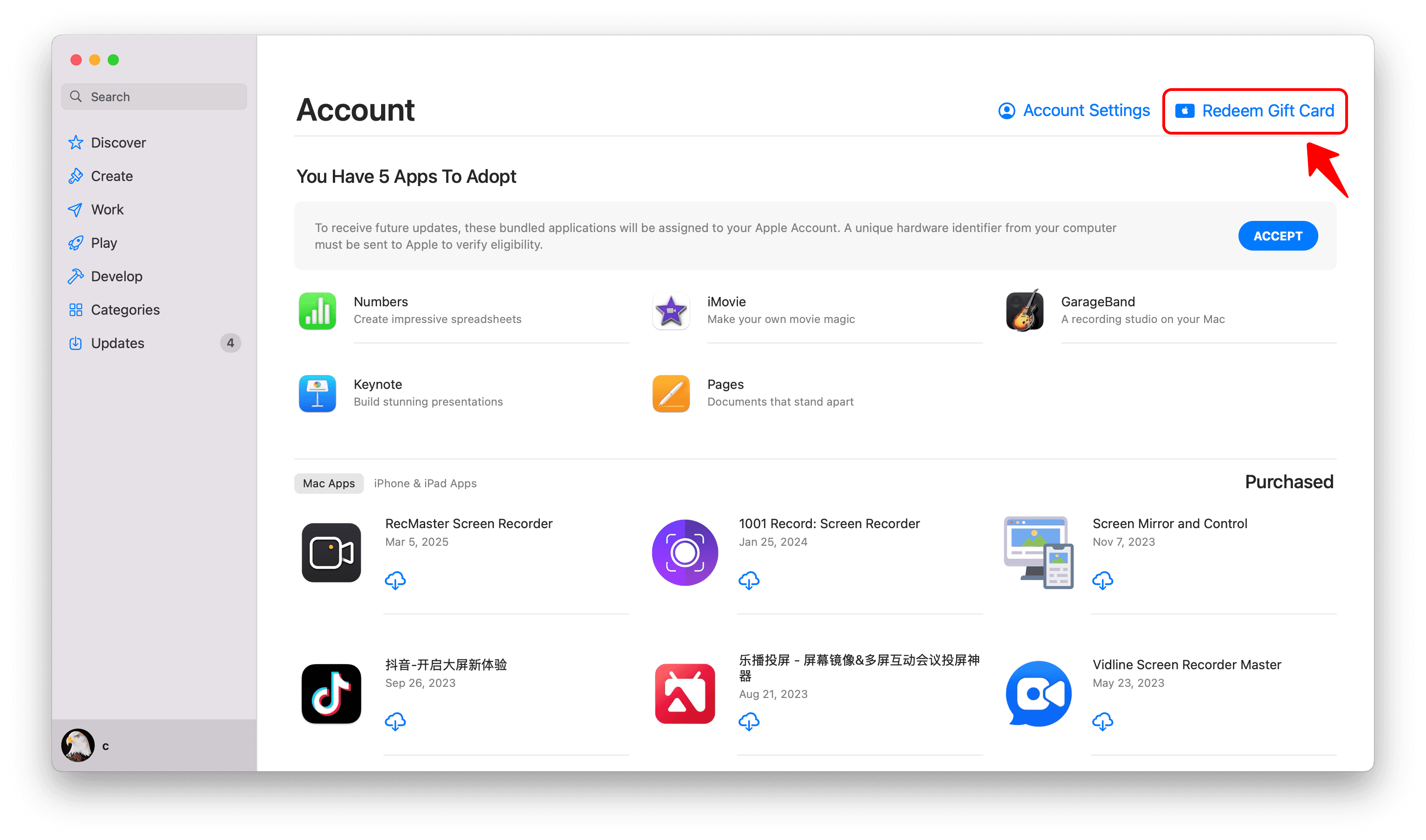
3️⃣ Select “Redeem Gift Card” .
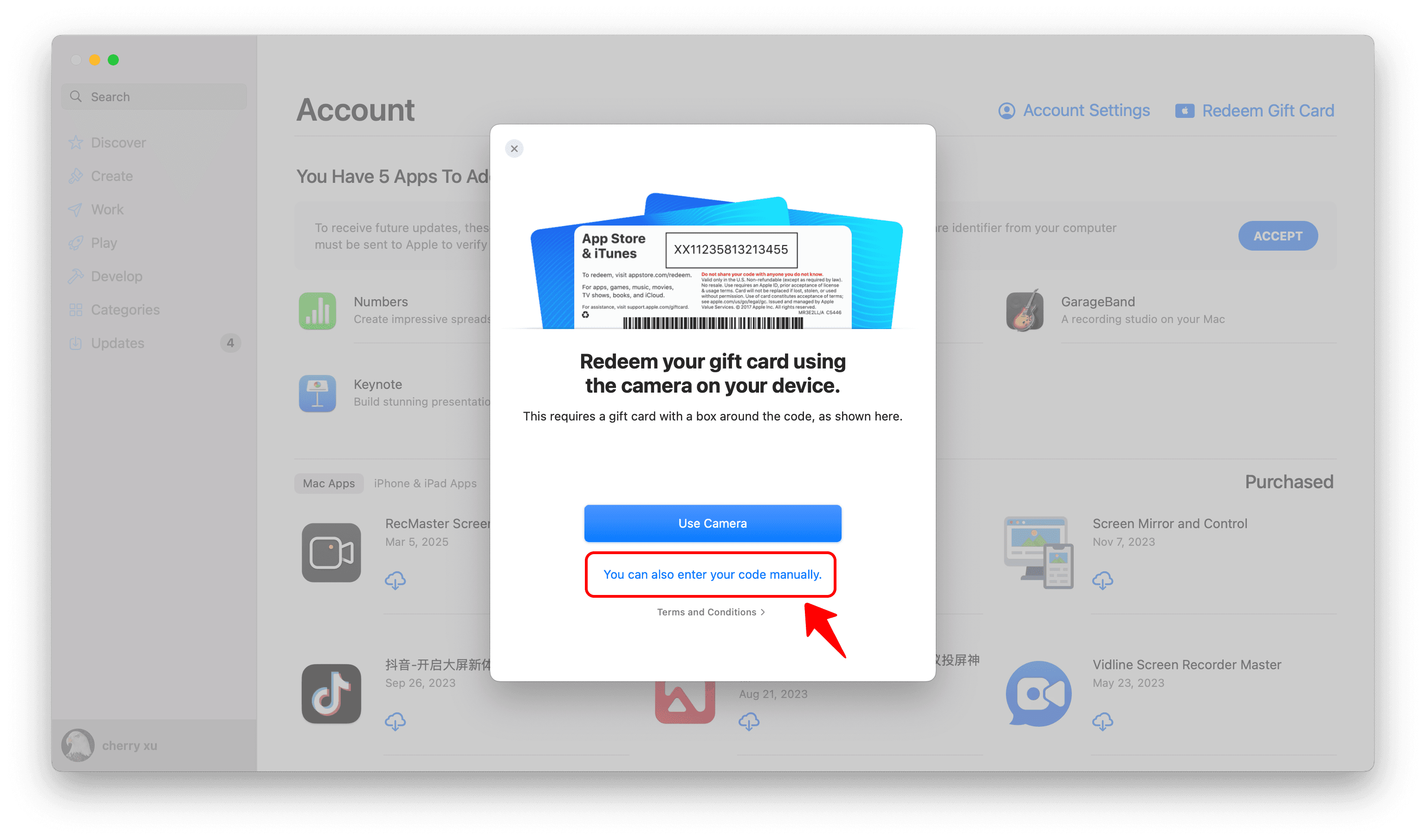
4️⃣ Select “You can also enter your code manually” .
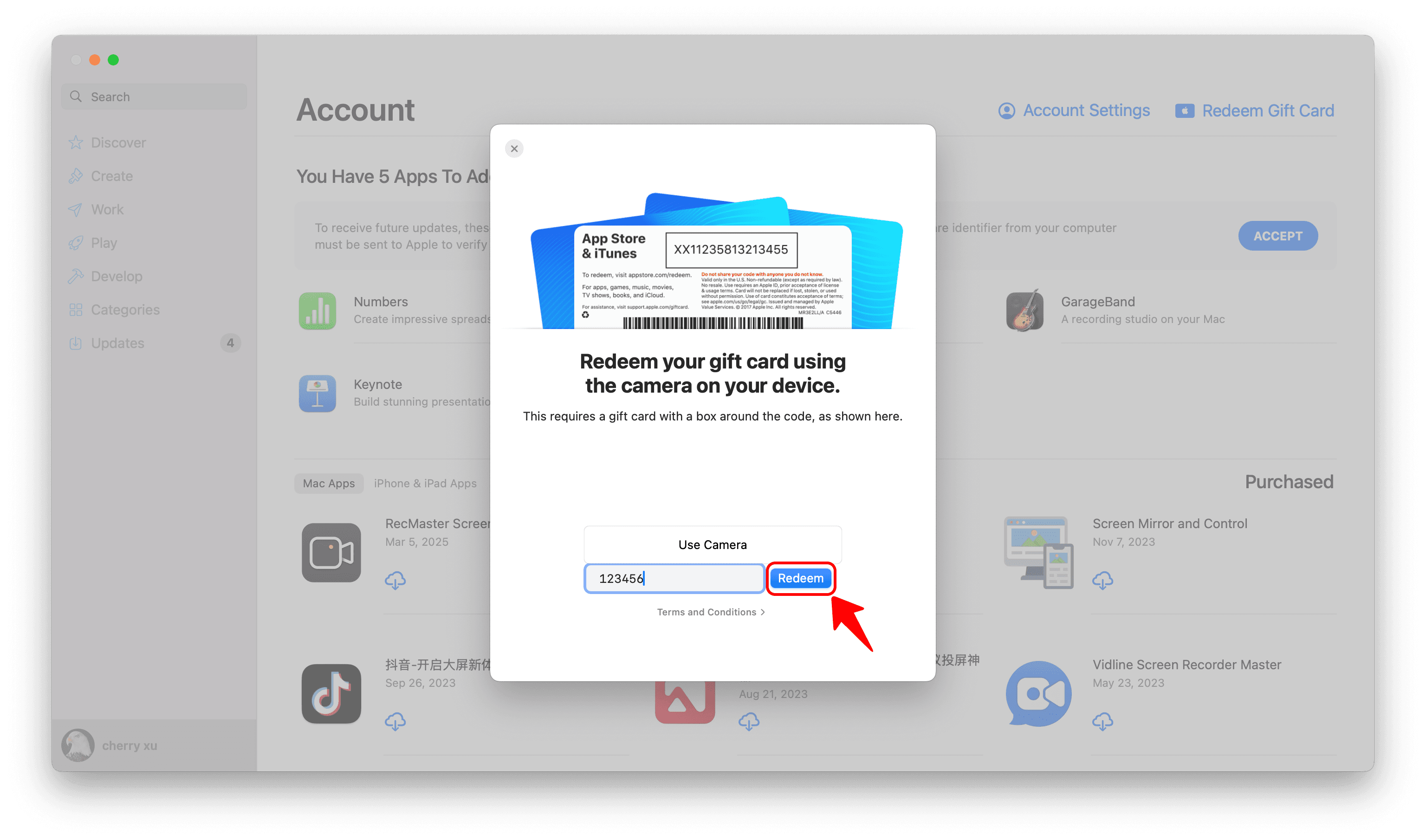
5️⃣ Enter your code and tap “Redeem” .
1️⃣ Open the App Store app on your Mac
2️⃣ Click your profile photo at the bottom of the screen.
3️⃣ Select “Redeem Gift Card” .
4️⃣ Select “You can also enter your code manually” .
5️⃣ Enter your code and tap “Redeem” .