
Dec 9, 2025
Dec 9, 2025
1001 Record vs Every Screen Recorder: The Ultimate Comparison
1001 Record vs Every Screen Recorder: The Ultimate Comparison
1001 Record vs Every Screen Recorder: The Ultimate Comparison
We're thrilled to share this comprehensive comparison from one of our valued users, who has taken the time to thoroughly evaluate 1001 Record against every major screen recorder on the market.
His detailed analysis and honest feedback mean the world to us, and we're incredibly grateful for his support. Let's dive into why 1001 Record stands out from the competition.
Why 1001 Record Is the King of Mac Screen Recorders
After comparing 1001 Record against every major screen recorder—Loom, Screen Studio, QuickTime, OBS Studio, FocuSee, Bandicam, and now Movavi—the verdict is clear: 1001 Record beats all of them. Easily.
Here's what makes 1001 Record exceptional:
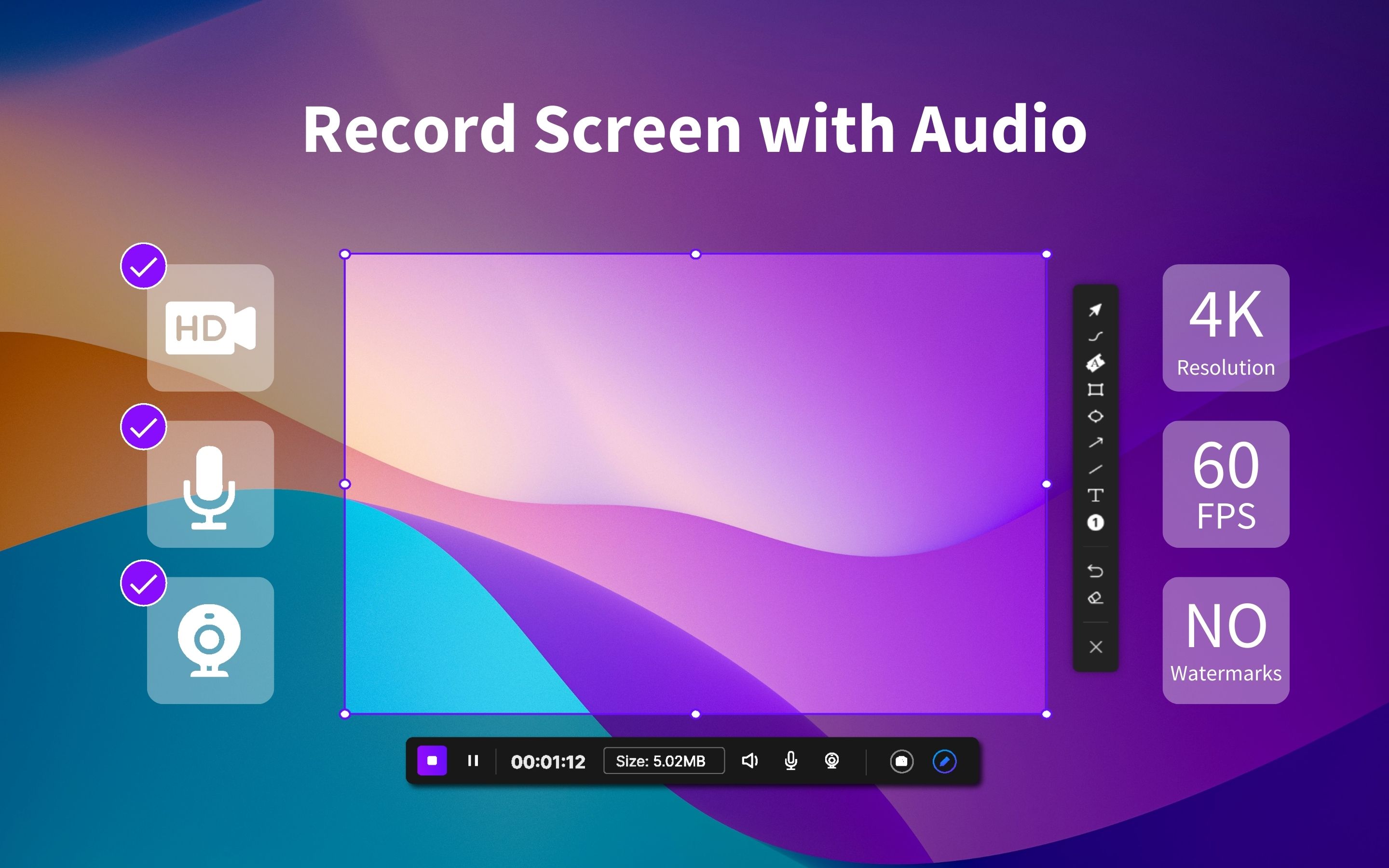
4K 60FPS recording - Crystal clear, buttery smooth footage
System audio + mic audio - Capture everything you hear and say
Camera recording - Include your face in the recording
Full-screen & custom window capture - Record exactly what you need
Specific Window Recording - This is a game-changer. You can record one app window even when it's hidden, out of focus, or behind other windows. Perfect for tutorial workflows, productivity apps, and especially music production. Capture only your synth, only your plugin, or only your DAW window—even if you click away.
Mouse click effects - Make your tutorials crystal clear
Video trimming - Edit right within the app
Annotation tools - Mark up your recordings
Scheduled recordings - Set it and forget it
Screenshot editing + background editing - Complete visual workflow
Local & private storage - No cloud uploads, your data stays yours
Free version - First 10 free full-access uses (with Pro features). After that, basic screen & audio recording stays free.
$49.99 Lifetime - One payment, full unlocked access
⬇️ Download 1001 Record | macOS
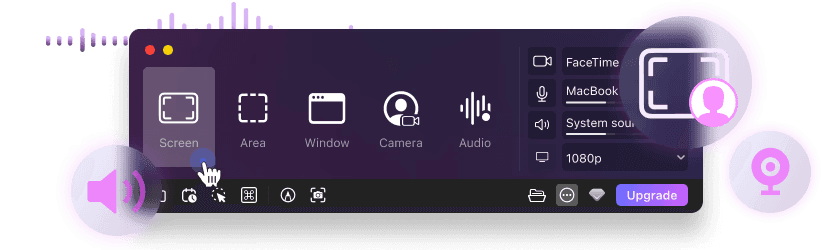
Now let's break down how 1001 Record compares to each competitor.
After comparing 1001 Record against every major screen recorder—Loom, Screen Studio, QuickTime, OBS Studio, FocuSee, Bandicam, and now Movavi—the verdict is clear: 1001 Record beats all of them. Easily.
Here's what makes 1001 Record exceptional:
4K 60FPS recording - Crystal clear, buttery smooth footage
System audio + mic audio - Capture everything you hear and say
Camera recording - Include your face in the recording
Full-screen & custom window capture - Record exactly what you need
Specific Window Recording - This is a game-changer. You can record one app window even when it's hidden, out of focus, or behind other windows. Perfect for tutorial workflows, productivity apps, and especially music production. Capture only your synth, only your plugin, or only your DAW window—even if you click away.
Mouse click effects - Make your tutorials crystal clear
Video trimming - Edit right within the app
Annotation tools - Mark up your recordings
Scheduled recordings - Set it and forget it
Screenshot editing + background editing - Complete visual workflow
Local & private storage - No cloud uploads, your data stays yours
Free version - First 10 free full-access uses (with Pro features). After that, basic screen & audio recording stays free.
$49.99 Lifetime - One payment, full unlocked access
⬇️ Download 1001 Record | macOS
Now let's break down how 1001 Record compares to each competitor.
1001 Record vs Movavi
Movavi is decent, but it's missing two MAJOR things that make all the difference.
✅What 1001 Record Has:
Specific Window Recording - Movavi cannot keep recording a window once it loses focus or is covered. 1001 Record continues recording even if you switch applications.
Lower cost - One-time $49.99 lifetime payment
No commercial licensing restrictions - Movavi requires a separate business license if your recordings are monetized. With 1001 Record, use it for business, YouTube, monetization—no restrictions.
Scheduled recordings
Screenshot background editor
Annotation tools
Better macOS optimization
More features included for free
❌What Movavi Lacks:
No specific-window recording
Requires commercial license for business use
No screenshot background editor
Higher pricing for full features
See how 1001 Record compares to Movavi, in detail 👉
Movavi is decent, but it's missing two MAJOR things that make all the difference.
✅What 1001 Record Has:
Specific Window Recording - Movavi cannot keep recording a window once it loses focus or is covered. 1001 Record continues recording even if you switch applications.
Lower cost - One-time $49.99 lifetime payment
No commercial licensing restrictions - Movavi requires a separate business license if your recordings are monetized. With 1001 Record, use it for business, YouTube, monetization—no restrictions.
Scheduled recordings
Screenshot background editor
Annotation tools
Better macOS optimization
More features included for free
❌What Movavi Lacks:
No specific-window recording
Requires commercial license for business use
No screenshot background editor
Higher pricing for full features
See how 1001 Record compares to Movavi, in detail 👉
1001 Record vs Loom
Subscription fatigue is real, and Loom suffers from missing features that professionals need.
✅1001 Record Advantages:
4K 60FPS recording
Annotation tools for clear communication
Scheduled recording for automation
Screenshot background edit for professional visuals
Local privacy - your data stays on your machine
$49.99 lifetime - pay once, own forever
❌Loom's Limitations:
No 4K support
No annotation suite
No scheduled recording
Cloud-only storage
Starts at $18/month (subscription model)
See how 1001 Record compares to Loom, in detail 👉
Subscription fatigue is real, and Loom suffers from missing features that professionals need.
✅1001 Record Advantages:
4K 60FPS recording
Annotation tools for clear communication
Scheduled recording for automation
Screenshot background edit for professional visuals
Local privacy - your data stays on your machine
$49.99 lifetime - pay once, own forever
❌Loom's Limitations:
No 4K support
No annotation suite
No scheduled recording
Cloud-only storage
Starts at $18/month (subscription model)
See how 1001 Record compares to Loom, in detail 👉
1001 Record vs FocuSee
FocuSee is good, but when you compare feature-for-feature, 1001 Record delivers more value.
✅1001 Record Wins With:
Cheaper lifetime pricing
Rich annotations
Screenshot background edit
Scheduled recording
Auto-Zoom - recently added to match FocuSee's capabilities
❌FocuSee Has:
Auto-captions
Auto-zoom (now matched by 1001 Record)
See how 1001 Record compares to FocuSee, in detail 👉
FocuSee is good, but when you compare feature-for-feature, 1001 Record delivers more value.
✅1001 Record Wins With:
Cheaper lifetime pricing
Rich annotations
Screenshot background edit
Scheduled recording
Auto-Zoom - recently added to match FocuSee's capabilities
❌FocuSee Has:
Auto-captions
Auto-zoom (now matched by 1001 Record)
See how 1001 Record compares to FocuSee, in detail 👉
1001 Record vs Screen Studio
Screen Studio has great design, but the pricing model is a dealbreaker for many users.
✅1001 Record Advantages:
Scheduled recordings - automate your workflow
Annotations - mark up videos easily
Screenshot editing - complete visual toolkit
Cheaper by miles - $49.99 vs Screen Studio's steep pricing
❌Screen Studio's Problems:
$29/month or $229 lifetime - significantly more expensive
No scheduling capabilities
No annotation tools
No screenshot background editing
See how 1001 Record compares to Screen Studio, in detail 👉
Screen Studio has great design, but the pricing model is a dealbreaker for many users.
✅1001 Record Advantages:
Scheduled recordings - automate your workflow
Annotations - mark up videos easily
Screenshot editing - complete visual toolkit
Cheaper by miles - $49.99 vs Screen Studio's steep pricing
❌Screen Studio's Problems:
$29/month or $229 lifetime - significantly more expensive
No scheduling capabilities
No annotation tools
No screenshot background editing
See how 1001 Record compares to Screen Studio, in detail 👉
1001 Record vs OBS Studio
OBS is powerful for streaming, but it's overkill for most screen recording needs and lacks essential features.
✅What 1001 Record Includes That OBS Doesn't:
Built-in editing - trim and adjust without leaving the app
Screenshot editing - complete workflow
Background editing - professional results instantly
Annotations - communicate clearly
Scheduled recording - automation built-in
Simpler UI - get started in seconds
System audio without plugins - works out of the box
❌What OBS is Missing:
Editing capabilities
Screenshot editing
Background editing
Scheduling features
Annotation tools
User-friendly interface
See how 1001 Record compares to OBS, in detail 👉
OBS is powerful for streaming, but it's overkill for most screen recording needs and lacks essential features.
✅What 1001 Record Includes That OBS Doesn't:
Built-in editing - trim and adjust without leaving the app
Screenshot editing - complete workflow
Background editing - professional results instantly
Annotations - communicate clearly
Scheduled recording - automation built-in
Simpler UI - get started in seconds
System audio without plugins - works out of the box
❌What OBS is Missing:
Editing capabilities
Screenshot editing
Background editing
Scheduling features
Annotation tools
User-friendly interface
See how 1001 Record compares to OBS, in detail 👉
1001 Record vs QuickTime
QuickTime is only good for very basic recording tasks. For anything beyond that, you need 1001 Record.
❌Everything QuickTime is Missing:
System audio capture
Editing tools
Mouse click effects
Screenshot editing
Annotations
Background editing
Scheduled recording
4K 60FPS recording
Basically, 1001 Record includes everything QuickTime lacks.
See how 1001 Record compares to QuickTime, in detail 👉
QuickTime is only good for very basic recording tasks. For anything beyond that, you need 1001 Record.
❌Everything QuickTime is Missing:
System audio capture
Editing tools
Mouse click effects
Screenshot editing
Annotations
Background editing
Scheduled recording
4K 60FPS recording
Basically, 1001 Record includes everything QuickTime lacks.
See how 1001 Record compares to QuickTime, in detail 👉
1001 Record vs Bandicam
Bandicam is a Windows-only heavy option that doesn't work for Mac users at all.
✅1001 Record Advantages:
macOS native - built specifically for Mac
Annotation tools
Screenshot editing
Background editing
Scheduled recordings
Video trimming
❌Bandicam Has:
Windows support only
See how 1001 Record compares to Bandicam, in detail 👉
Bandicam is a Windows-only heavy option that doesn't work for Mac users at all.
✅1001 Record Advantages:
macOS native - built specifically for Mac
Annotation tools
Screenshot editing
Background editing
Scheduled recordings
Video trimming
❌Bandicam Has:
Windows support only
See how 1001 Record compares to Bandicam, in detail 👉
Why 1001 Record Beats the Entire Market
When you step back and look at the complete picture, 1001 Record emerges as the clear winner:
No watermarks - professional results every time
No cloud uploads - your privacy is protected
Privacy-first - local storage keeps your data secure
All tools included - no hidden features or paywalls
Auto-Zoom recently added - keeping up with the competition
Educational discounts - email: 1001tvs@nero.com
Perfect for everyone - YouTubers, educators, streamers, AND music producers
When you step back and look at the complete picture, 1001 Record emerges as the clear winner:
No watermarks - professional results every time
No cloud uploads - your privacy is protected
Privacy-first - local storage keeps your data secure
All tools included - no hidden features or paywalls
Auto-Zoom recently added - keeping up with the competition
Educational discounts - email: 1001tvs@nero.com
Perfect for everyone - YouTubers, educators, streamers, AND music producers
Final Verdict
If you want:
✔ 4K quality
✔ System audio capture
✔ Plugin-friendly window-specific recording
✔ Local privacy
✔ Editing tools
✔ Screenshot workflow
✔ Scheduling capabilities
✔ No subscription EVER
Then there's only one winner:
1001 Record — the best screen recorder for macOS.
⬇️ Download 1001 Record | macOS
If you want:
✔ 4K quality
✔ System audio capture
✔ Plugin-friendly window-specific recording
✔ Local privacy
✔ Editing tools
✔ Screenshot workflow
✔ Scheduling capabilities
✔ No subscription EVER
Then there's only one winner:
1001 Record — the best screen recorder for macOS.
⬇️ Download 1001 Record | macOS
Join our community for more.
Join our community for more.
Join our community for more.